
Your Complete Guide to Planning Trips with Google Travel
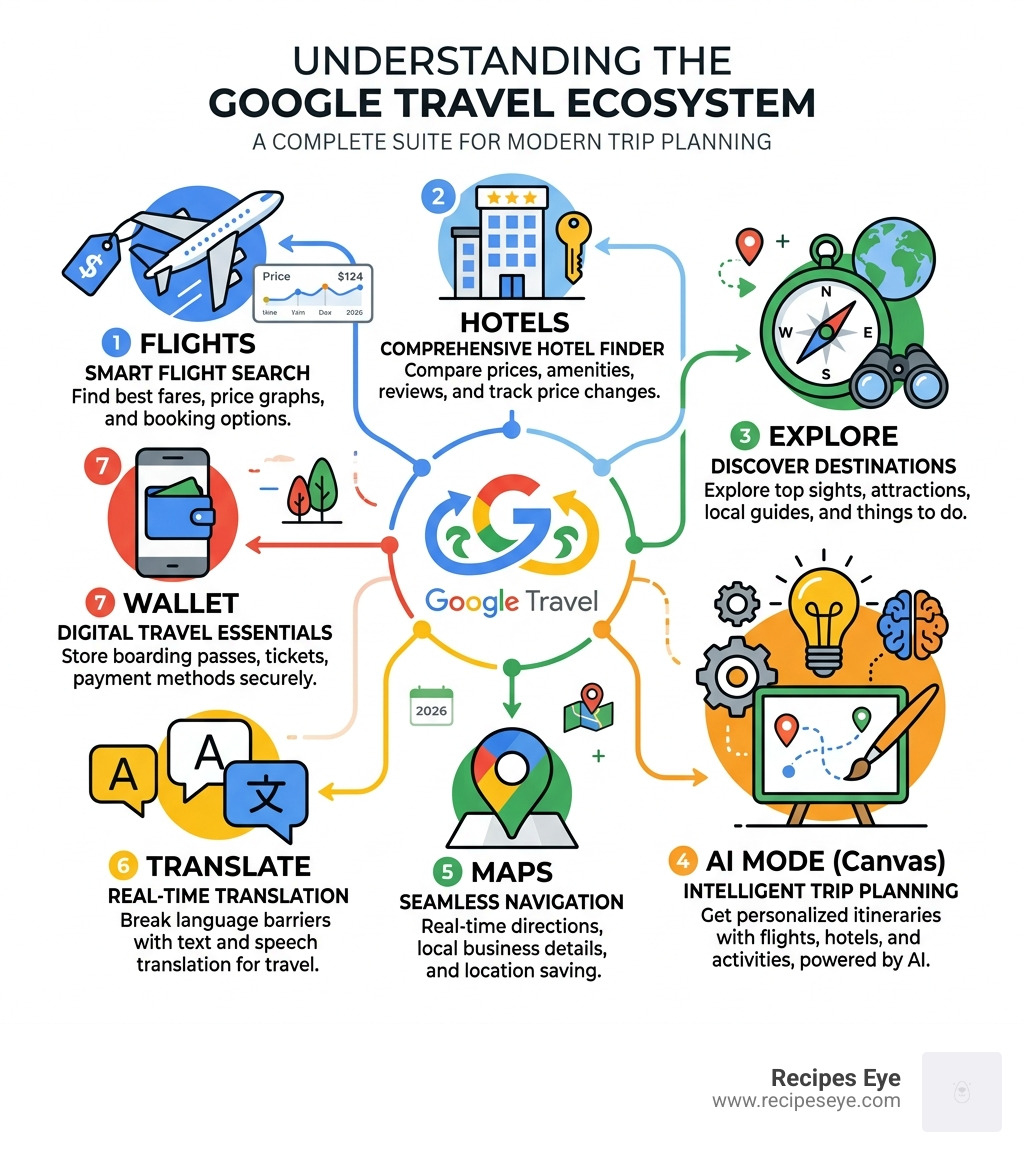
Google Travel is a free suite of tools from Google that helps you search flights, compare hotels, discover attractions, and build full trip itineraries — all in one place.
Here’s what you can do with it right now:
- Find cheap flights — Search google.com/travel/flights and use the date grid to spot the lowest fares
- Track hotel prices — Set email alerts for specific hotels so you know when rates drop
- Build AI itineraries — Use AI Mode with the Canvas tool to describe your trip and get a full plan with flights, hotels, and a map
- Discover things to do — Browse attractions, read reviews, and find ticket links without leaving Google Search
- Navigate smarter — Use Ask Maps, live translation, and Google Wallet for boarding passes at the airport
It’s one of the most powerful free travel planning tools available — and most people only use a fraction of it.
Travel costs are rising, and the pressure to find deals is real. Search interest in “travel hacks” hit an all-time high in the US in early 2025, rising 150% in just the first quarter. That tells you something: people are actively looking for smarter ways to plan trips without overspending.
Google Travel brings together everything you need — flights, hotels, maps, translation, and AI-powered planning — into tools you probably already use every day. This guide walks you through all of it, step by step.
Mastering Google Flights for Budget-Friendly Bookings
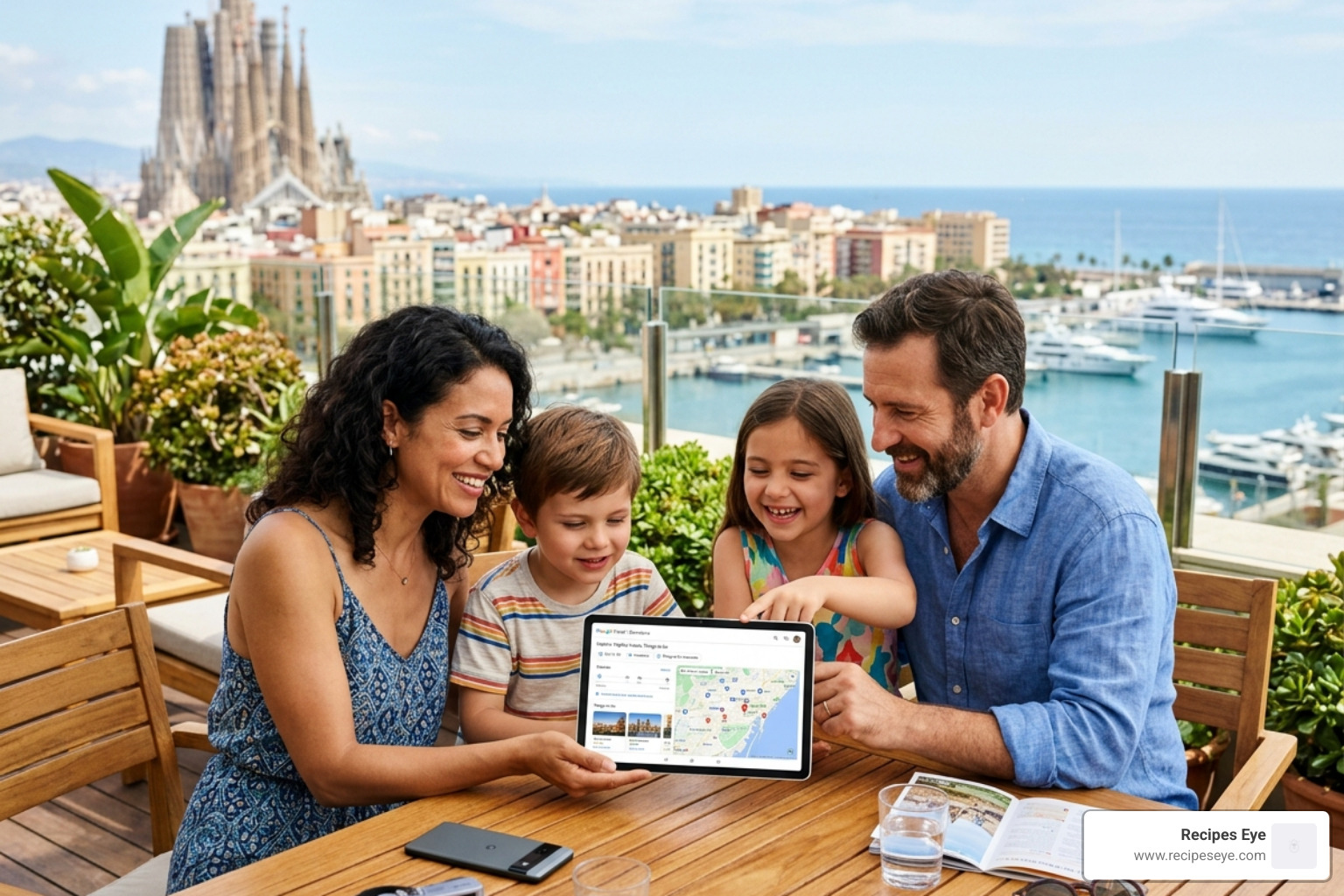
When we start planning a new adventure at Recipes Eye, the first stop is almost always Google Flights. In 2026, the tool has become even more sophisticated, helping us navigate the tricky waters of airline pricing.
One of the most helpful features is the distinction between ‘Best’ and ‘Cheapest’ flights. We’ve all been there: you see a flight that’s $200 cheaper than the rest, only to realize it involves a 12-hour layover in an airport that doesn’t even have a decent snack bar.
- Best Flights: These are the ones Google recommends because they balance price with convenience. They look at duration, number of stops, and overall “hassle factor.”
- Cheapest Flights: These prioritize your wallet above all else. Sometimes this means “self-transfer” flights where you have to re-check your bags between different airlines—a bit of a gamble, but great for the budget-conscious traveler.
Another game-changer is the Basic Economy filter. For years, we had to click through to the final booking page just to find out that the “cheap” fare didn’t even include a carry-on bag. Now, we can simply select “Economy (exclude basic)” from the drop-down menu to see fares that actually include the amenities we need.
To help you decide which flight is right for you, we’ve put together a quick comparison based on common search data:
| Feature | Low-Cost Carrier (e.g., Spirit) | Full-Service Carrier (e.g., JetBlue/United) |
|---|---|---|
| Legroom | ~28 inches | ~32 inches |
| Carbon Emissions | Often higher per passenger | Variable (look for the “Green Leaf”) |
| Baggage Policy | Strict (fees for carry-ons) | More flexible (usually includes carry-on) |
| Wi-Fi/Power | Usually paid or unavailable | Often included or available for a fee |
Using Google Travel to Track Prices and Save
If you aren’t ready to pull the trigger on a ticket today, don’t worry. We love the Price Tracking feature. By toggling this on, you’ll get email notifications the moment the price for your specific route drops.
Google also provides “Price Insights” that tell you if the current fare is “low,” “typical,” or “high” compared to the last 12 months. For example, if you’re looking at a flight from New York to San Francisco and Google tells you it’s $93 cheaper than usual, you know it’s time to book! If you’re flexible, the Date Grid and Price Graph are your best friends. They visually highlight which days of the week are the absolute cheapest to fly, often saving us hundreds of dollars just by shifting a trip by 24 hours.
Filtering for Comfort and Sustainability
In 2026, we are more conscious than ever about our travel footprint. Google Travel now integrates carbon emission estimates directly into the search results. You can actually filter for “lower emissions” flights, which often highlight newer, more fuel-efficient aircraft.
Beyond the planet, you can also filter for your own comfort. Want to ensure you have enough legroom so your knees aren’t touching the seat in front of you? Google Flights displays the pitch (legroom) for almost every flight. You can even check if the plane has in-seat power or free Wi-Fi before you buy.
Building Custom Itineraries with AI Mode and Canvas
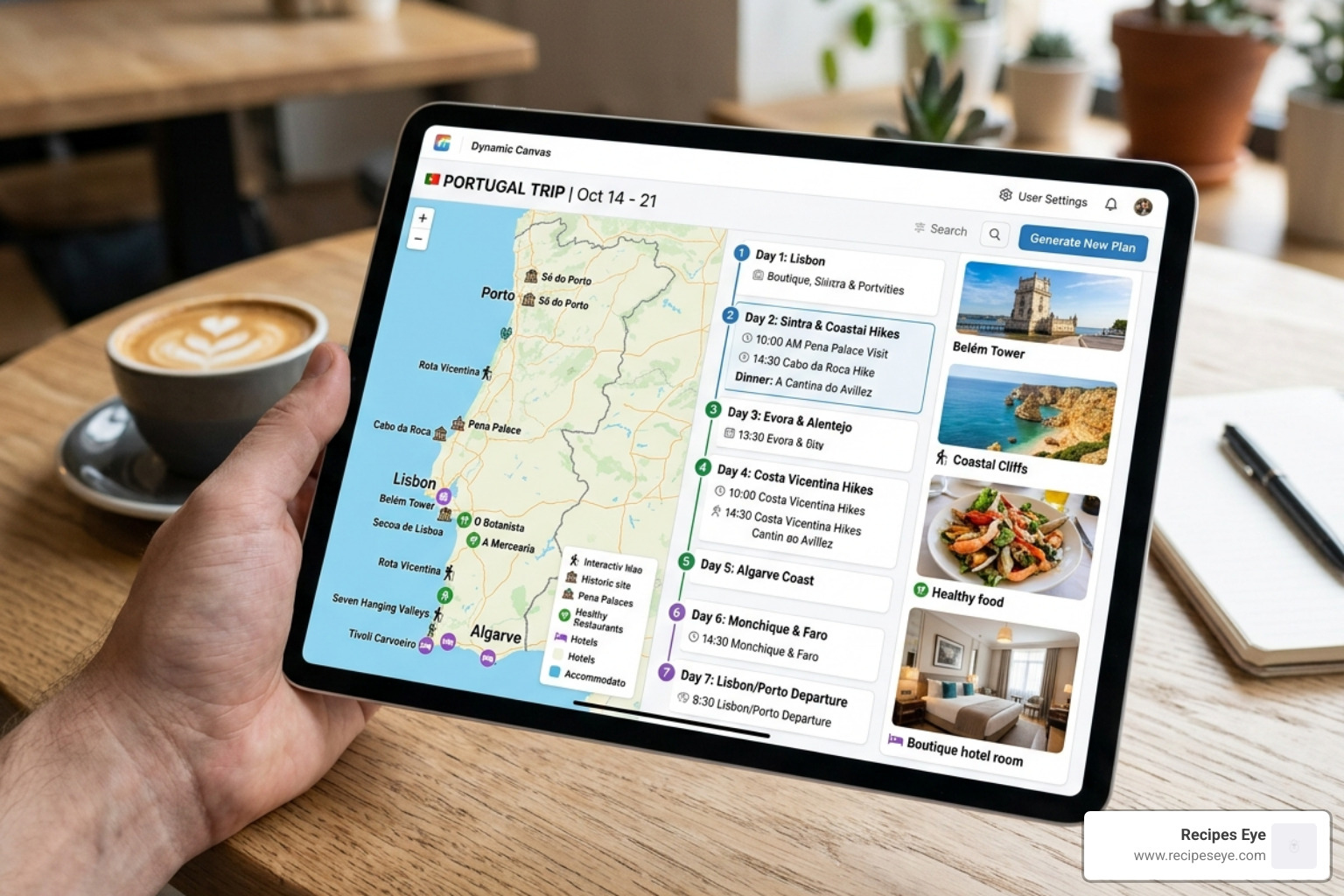
This is where the future of travel planning really lives. Google’s AI Mode and the Canvas tool have revolutionized how we build itineraries. Instead of having twenty tabs open, you can now use natural language to describe your dream vacation.
You might type: “Plan a 7-day trip to Portugal for a family that loves healthy food, coastal hikes, and historic architecture. Include a mix of hotels and vacation rentals.”
The Canvas tool will then generate a visual layout that includes:
- Suggested flight options.
- Hotel recommendations with neighborhood insights.
- A day-by-day map of activities.
- Links to book everything directly.
The best part? It’s not a static document. You can refine it in real-time. If the AI suggests a steakhouse and you’d prefer a vegan-friendly cafe, just say, “Swap the dinner on day three for a highly-rated plant-based restaurant,” and it updates instantly. You can access these tools directly at travel.google.
Personalized Recommendations via Ask Maps
Ask Maps is a feature we use constantly when we’re already on the ground. It draws from a community of over 500 million contributors who provide insider tips. If we’re looking for a specific type of experience—like a campsite that has both EV chargers and great sunset photography spots—Ask Maps can find it.
It’s like having a local expert in your pocket. You can ask, “Where is the best place nearby for a solo traveler to have a quiet lunch with a view?” and it will analyze millions of reviews and photos to give you a personalized answer.
Smart Restaurant and Activity Booking
Google’s “Agentic AI” is now capable of handling the heavy lifting of bookings. If you find a Cuban restaurant with live music that looks perfect for a Saturday night, you don’t have to navigate to another site. Google can interface with platforms like OpenTable or Resy to check real-time availability and book your table for five.
For last-minute needs, Google can even use Duplex technology to call local stores for you. Imagine you’re on vacation and realize you forgot your prescription sunglasses. You can ask Google to call nearby opticians to see if they have clip-on polarized lenses in stock. It saves you the time and frustration of making those calls yourself.
Navigating Your Destination with Google Travel Tools
Once you’ve arrived, google travel tools continue to be your best companion. We always recommend using Google Maps not just for directions, but for neighborhood insights. The “Where to stay” tab is particularly useful; it shows you which areas are “trendy,” which are “family-friendly,” and what the average hotel price is in each pocket of the city.
Live Translation and Local Insights
The Google Translate app is a lifesaver for international travel. In 2026, live translation supports over 70 languages through headphones. This means you can have a conversation with a local vendor in a market in Lisbon, and you’ll hear their Portuguese translated into English in your ears almost instantly, preserving their tone and cadence.
Seamless Airport Experiences with Google Wallet
We’ve all had that moment of panic at the airport, fumbling through emails for a boarding pass. Google Wallet simplifies this by centralizing your boarding passes and even your digital ID (available at many TSA checkpoints now).
The wallet doesn’t just hold the pass; it gives you live flight updates. If your gate changes or your flight is delayed, your phone will buzz with the update before it’s even announced over the airport speakers. It’s a small detail that removes a huge amount of travel stress.
Discovering Hidden Gems with Google Travel Explore
If you’re the type of traveler who likes to wander, the Explore map is for you. You can enter your destination and filter by “Things to Do.” This isn’t just a list of tourist traps; it includes local landmarks, hidden parks, and neighborhood favorites.
Google aggregates reviews, opening hours, and even ticket prices so you can plan your afternoon on the fly. Whether you’re looking for the best skyscrapers in New York or the quietest cafes in Paris, the Explore tool has the data to guide you. You can check it out at google.com/travel.
2026 Travel Trends and Sustainable Exploration
As we move through 2026, travel habits are shifting. One of the most significant trends we’ve seen is the rise of solo travel. According to Google Trends data, solo travel searches surpassed “travel with kids” way back in 2014, and by 2025, they were searched 1.5 times more frequently, hitting an all-time high.
People are looking for independence and personalized experiences. This is reflected in the search interest for “travel hacks for long flights,” which rose 150% in early 2025. Travelers are becoming “pro-planners,” using every tool at their disposal to maximize comfort and minimize cost.
Understanding Search Interests in 2026
Search data also shows us regional preferences. In the US, people in the Southeast are searching for “beach trips” at record rates, while those in the Northern states are prioritizing “lake trips.”
There’s also a massive spike in “travel outfits” and gear. People aren’t just looking for where to go; they want to know what to bring. Top trending items in 2026 include:
- Compression packing cubes: For the carry-on-only crowd.
- Vacuum bags: To save space for souvenirs (or local ingredients!).
- Crossbody bags: For safety and accessibility while exploring.
- Portable cameras: For high-quality memories beyond the smartphone.
Sustainability is no longer a “nice to have”—it’s a primary search filter. More travelers are choosing their destinations based on eco-friendly lodging and flights with lower carbon footprints. Google Travel’s ability to highlight these options makes it easier for us to make responsible choices.
Frequently Asked Questions about Google Travel
How do I find the cheapest days to fly?
The best way is to use the Date Grid and Price Graph on Google Flights. When you select your dates, click on “Date Grid” to see a table of prices for surrounding days. Usually, the cheapest dates are highlighted in green. You can also use the Price Graph to see how fares fluctuate over several months.
Can I build a full trip itinerary using AI?
Yes! Head to Google Search and enter AI Mode. Select the Canvas tool and describe your trip in detail. For example: “Build a 10-day itinerary for Japan focused on food and photography, starting in Tokyo and ending in Osaka.” Google will generate a complete plan with flights, hotels, and a map, which you can then save to your Google account.
How does hotel price tracking work?
When you search for a specific hotel on Google, you’ll see a toggle for “Track Prices.” If you’re signed in to your Google account, you’ll receive email alerts if the rate for your selected dates drops significantly. This is available globally in English and Spanish and is a great way to snag a deal on a luxury stay.
What is the best time to book flights?
While it varies, the general rule of thumb in 2026 is to book domestic flights at least a few weeks in advance and international flights a few months ahead. Google Flights will often show you a notification if prices are currently “low” or if they are expected to rise soon based on historical data.
Conclusion
Planning a trip doesn’t have to be a second job. By using the full suite of google travel tools—from AI-powered canvases to live translation—you can spend less time stressing over logistics and more time dreaming about your destination.
At Recipes Eye, we believe that travel is one of the best ways to discover new flavors and healthy lifestyle habits. Whether you’re hiking the hills of Portugal or exploring the markets of Tokyo, having a solid plan allows you to truly immerse yourself in the local culture.
Before you head out on your next adventure, don’t forget to pack some nutritious snacks to keep your energy up! Check out our latest guides on Healthy travel snacks and recipes to ensure you stay fueled and feel your best while on the go. Happy travels!

